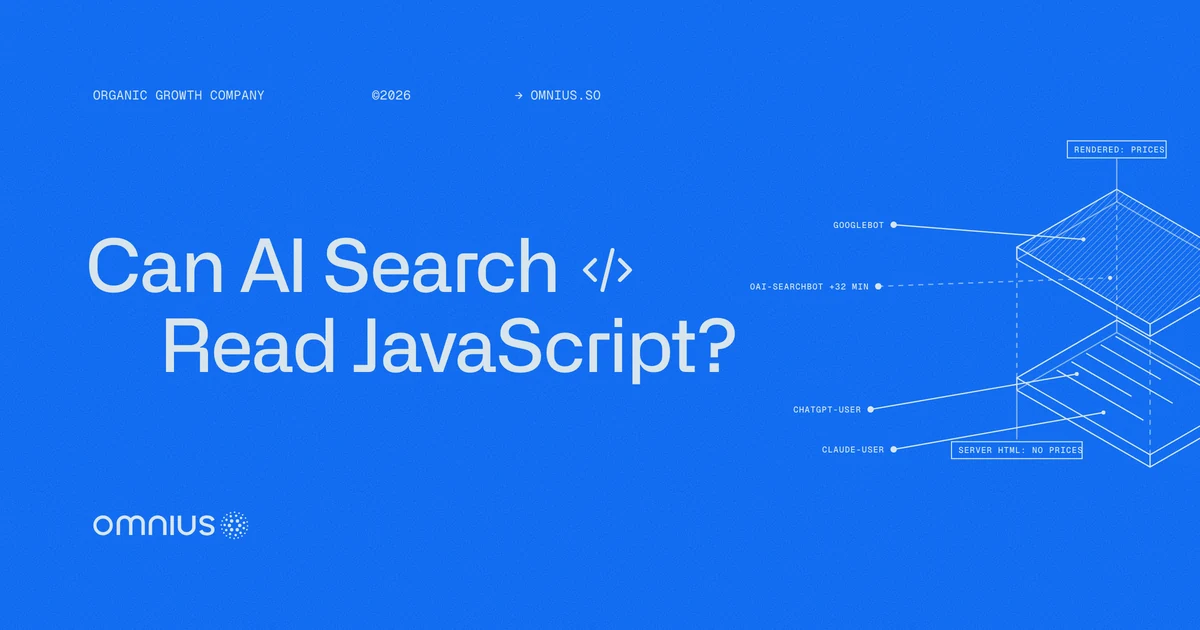
For JavaScript SEO, AI search engines fall into two groups: those that read a page after its scripts run, and those that read it before. Google runs a page's JavaScript before it indexes the page, so AI Overviews and AI Mode can use content that scripts load. ChatGPT's and Claude's fetchers get only the HTML the server sends when they read a page mid-answer, and OpenAI's search crawler renders some pages only later.
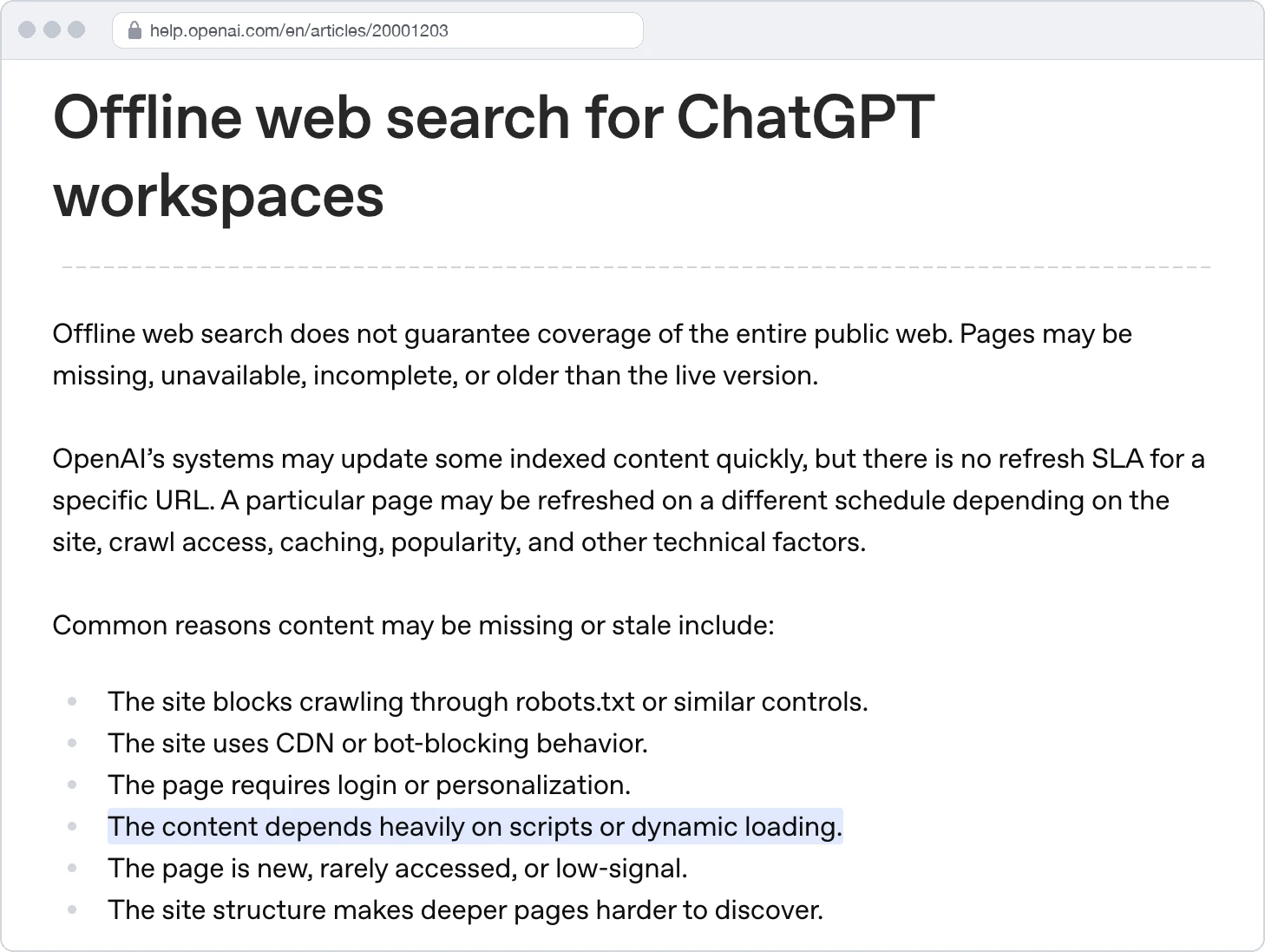
Content that "depends heavily on scripts or dynamic loading" can go missing or stale in the index behind OpenAI's offline web search, its help center says.
For a B2B company, the facts at risk are its own, such as prices, plan limits, integrations, and docs answers. When those load by script, an answer can take them from another website. This guide shows which AI crawlers render JavaScript, which content drops out, how to check a page, and how to fix the templates that fail.
Key takeaways
- Google's AI Overviews and AI Mode cite rendered pages, while ChatGPT's and Claude's fetchers get only the server's HTML mid-answer.
- Prices, click-to-load tabs, script-built directories, and tag-manager structured data are the gaps to check first.
- A search of the server's HTML for each fact finds the gaps before engineering work starts.
- Server-side rendering (SSR) or static generation fixes the templates that fail.
What JavaScript SEO for AI search is, and why it matters now
A web page can reach a reader in two versions. The raw HTML is what the server sends in its first response, and the rendered page is what exists after the browser runs the page's JavaScript. Server rendering puts the text in the first version.
In full client-side rendering (CSR), the server sends a near-empty shell, and scripts fill it in the browser. Google's JavaScript SEO guide describes this app shell model as one where "the initial HTML does not contain the actual content," so a pricing page built this way can send a table header and a loading spinner.
Its scripts then fetch the plans and prices from an API, a data feed the page calls. A reader that runs no scripts sees an empty table.
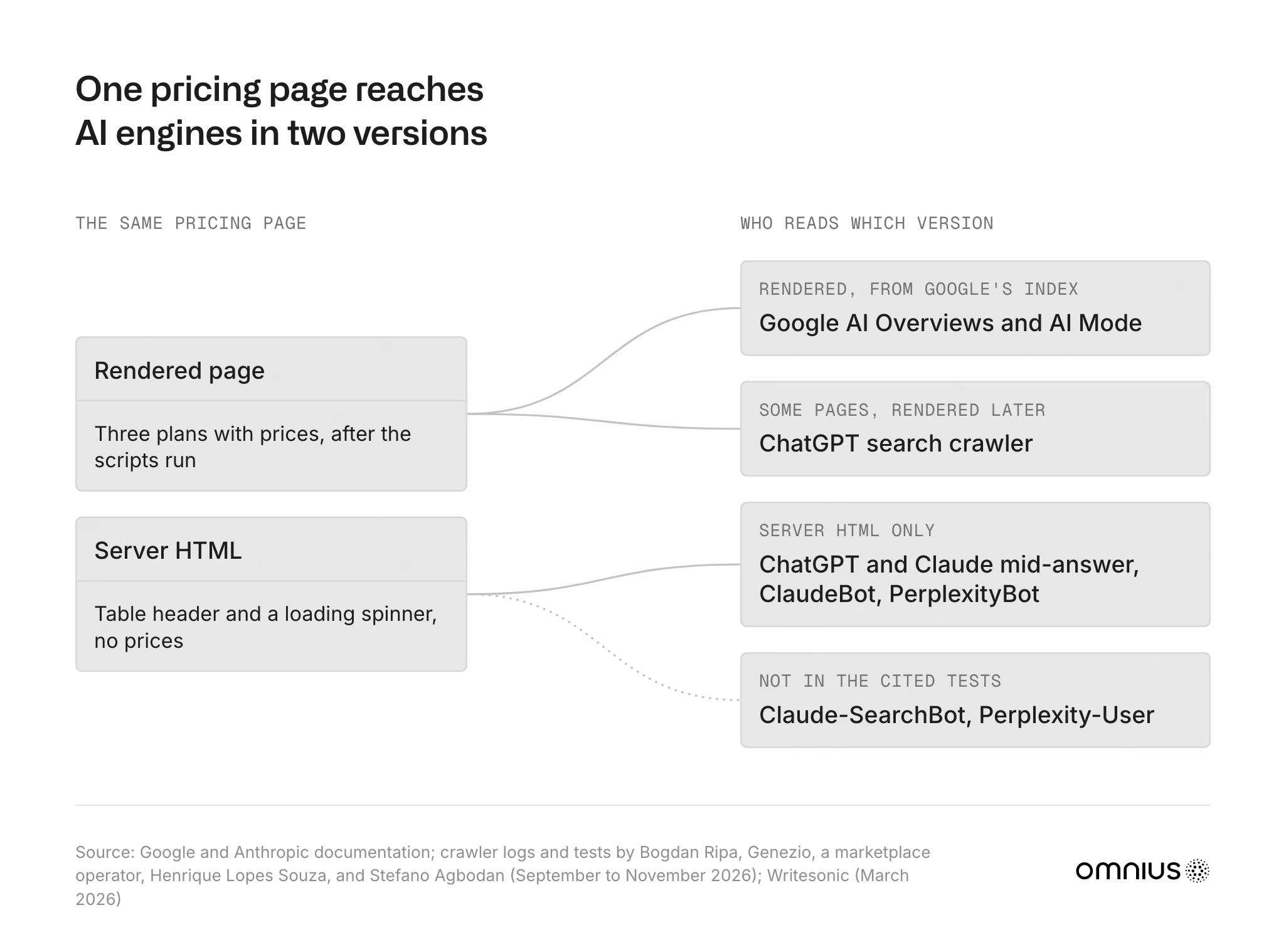
JavaScript SEO for AI search puts the facts a company needs in AI answers into the first version. In a December 2024 study of Vercel's network, the crawlers of OpenAI, Anthropic, and Perplexity ran no scripts. Four 2026 reports split that picture by engine:
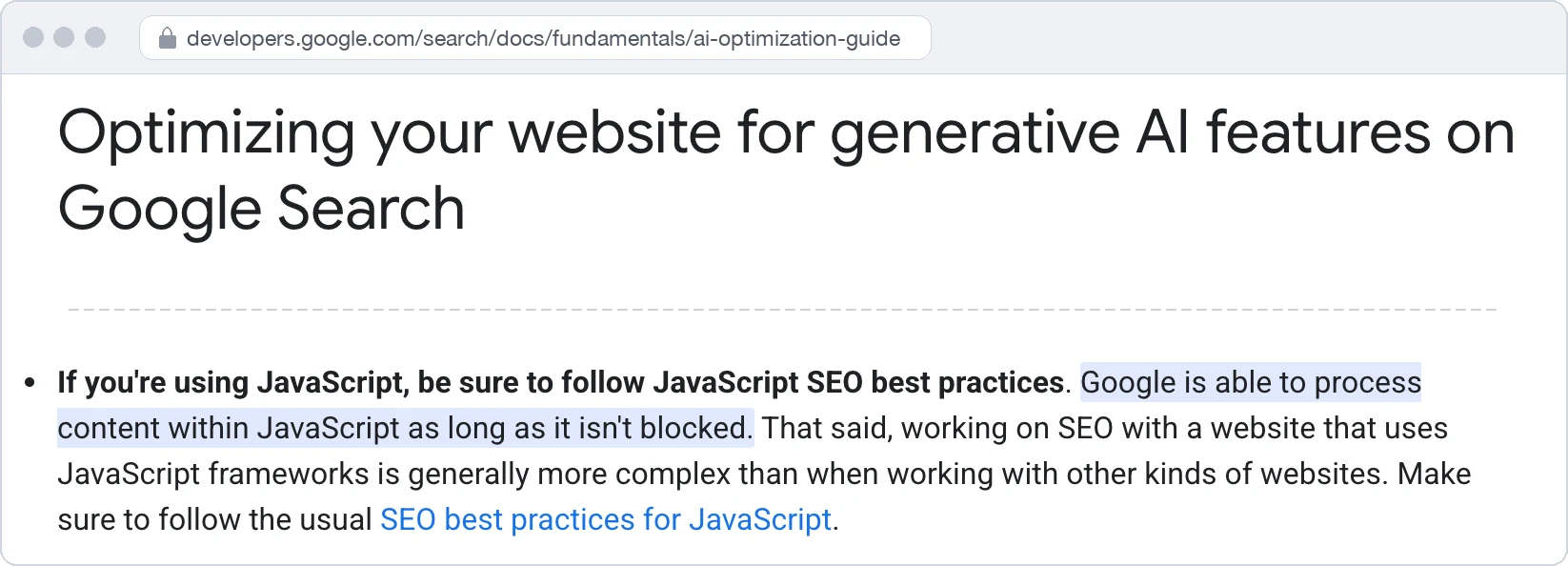
- May 15, 2026: Google published its guide to generative AI features, which says Google can process JavaScript content that isn't blocked.
- September 25, 2026: Henrique Lopes Souza published controlled tests in which ChatGPT and Claude read only the server's HTML.
- October 1, 2026: A Japanese marketplace's operator reported OpenAI's crawlers running JavaScript on the marketplace from September 2026.
- October 22, 2026: Genezio showed OAI-SearchBot running a page's script from an OpenAI address.
Which AI crawlers render JavaScript, and how ChatGPT and Claude read pages
We trace four stages of a web-backed answer: retrieving, rendering, extracting, and answering. AI readers differ at rendering.
1. The answer draws on an index or a live fetch. OAI-SearchBot builds the index behind ChatGPT search, and ChatGPT-User fetches a page live when a question needs it. Claude fetches with Claude-User, and Google's AI features cite Google's own index. Both paths need a page's facts.
2. Every crawler fetches the HTML, but only some execute JavaScript. Googlebot queues eligible pages for rendering in headless Chromium, a browser with no screen, and indexes the rendered result.
OAI-SearchBot fetched the HTML and came back later with a script-running browser on one small Next.js website. Bogdan Ripa, a Genezio co-founder, logged 560 IP-verified OpenAI requests there from October 8 to 22, 2026.
The median gap was 32 minutes across the 26 pages where both visits showed, and ChatGPT-User fetched HTML only.
Does ChatGPT see a script-loaded price? OAI-SearchBot can retrieve it when it renders the page, while a mid-answer ChatGPT-User fetch reads the HTML alone. The 32-minute median measures the rendering gap, and Ripa didn't measure when a changed price reached an answer.
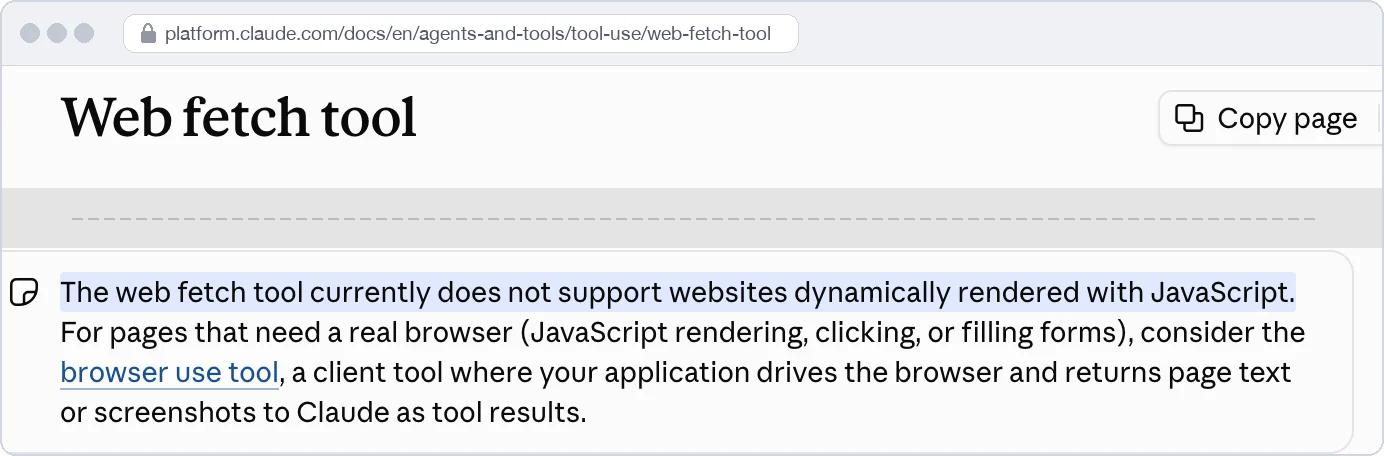
What about Claude? The Claude API's web fetch tool doesn't support websites rendered dynamically with JavaScript, according to Anthropic's documentation. ClaudeBot also ran no scripts in a small 2026 test. We treat Claude's fetchers as HTML-only readers until Anthropic or a larger test says otherwise.
3. Extraction decides which fetched content reaches the model. In Souza's five rounds per assistant, ChatGPT's and Claude's fetchers kept the HTML's text and dropped JSON-LD, the code block that labels a page's facts for search engines.
Text in the HTML but hidden with CSS reached at least five of six assistants in Writesonic's March 2026 test of one page with 62 planted codes. Microsoft warns that hidden content may be skipped, so we keep key facts visible.
4. The answer uses the kept text or another source. In one ChatGPT trace a practitioner logged, the model guessed that two vendors' prices loaded with JavaScript, gave up on their pricing pages, and noted it should cite G2. The trace doesn't show why the prices were missing, but it shows a missing price sending the answer to a review website the vendor doesn't control.
Documentation and tests give this split by reader:
| Engine and reader | Version it reads | Runs JavaScript? | Basis |
|---|---|---|---|
| AI Overviews, AI Mode, and Gemini with Google Search | Rendered page from Google's index | Yes | Google documentation |
| Gemini reading a pasted URL (free plan) | Server HTML | Not seen | Souza, 2026 |
| ChatGPT search (OAI-SearchBot) | Server HTML, then a rendered copy of some pages | Sometimes, later | Ripa and Genezio, October 2026 |
| ChatGPT mid-answer (ChatGPT-User) | Server HTML | Not seen | Ripa and Souza, 2026 |
| Claude mid-answer (Claude-User) | Server HTML | Not seen | Souza, 2026 |
| Claude API web fetch tool | Fetched page content | Not supported | Anthropic documentation |
| ClaudeBot and Claude-SearchBot | Server HTML (ClaudeBot) | Not seen for ClaudeBot; Claude-SearchBot not in these tests | Vercel, 2024; Nnaji, 2026 |
| PerplexityBot and Perplexity-User | Server HTML (PerplexityBot) | Not seen for PerplexityBot; Perplexity-User not in these tests | Vercel, 2024; Agbodan, 2026 |
| Microsoft Copilot fetching a page | Rendered page | Yes, for text added within 500 milliseconds | Writesonic, March 2026 |
| Browser agents, such as Anthropic's browser use tool | Rendered page | Yes | Anthropic documentation |

Which JavaScript content drops out of AI answers on B2B websites
Where a page loads only some parts by script, we check four components first: prices, click-to-load content, directories, and structured data.
1. Prices and plan limits loaded from an API. Text loaded through an API call reached only DeepSeek and Grok of the six assistants in Writesonic's test, so we treat an API-loaded price as invisible until a check shows otherwise. We count this as the riskiest gap on a B2B website.
What to do: Put the default currency's plan names, prices, and limits in the server's HTML, and let a currency switcher change them in the browser.
2. Tabs, accordions, and FAQs that load on click or scroll. Suppose a payments API's docs page keeps its rate limits in a tab whose text is fetched only when someone opens it. Google Search doesn't interact with a page, and no assistant in Writesonic's test reported text loaded on scroll.
What to do: Render every tab and answer into the HTML, and collapse it with CSS.
3. Directories, lists, and widgets built by script. When a script builds an integrations directory, its links to integration pages are missing from the HTML too. An SEO practitioner tested this on a 1,062-page section of his own roughly 2,400-page business directory and published the results in August 2026.
Which crawlers followed those links? During the 27 days they existed only in JavaScript, only Google's did.
What to do: Render names, ratings, and counts as HTML text, link each detail page with a standard HTML link that holds its URL, give a load-more list numbered pages with links, and list those pages in the XML sitemap.
4. Structured data added by a tag manager. Google supports and renders JSON-LD added through Google Tag Manager. HTML-only readers miss it, since "structured data only reaches a crawler if it's in the response body," Vercel wrote in October 2026.
What to do: Output JSON-LD in the server's response, and repeat the key facts in visible text.
How to check what AI crawlers see on a page
The check needs a browser, one copied command, and server logs, and runs in five steps.
1. List the pages and the facts. We start with 10 to 20 pages, such as pricing, product, integrations, security, comparisons, and the docs index, and note each page's facts an answer should quote.
2. Search the page source for each fact, outside scripts. View source shows the server's HTML, while the browser's Inspect panel shows the page after its scripts ran. Check the title, meta tags, main heading, and canonical tag (which names the preferred URL) there too, since scripts can set them. For instance, when we ran this check on Linear's pricing page on November 3, 2026, its source held "Basic" at "$10 per user/month" and "Business" at "$16 per user/month," both billed yearly.
3. Reload with JavaScript off, and check Google's view. Chrome DevTools does this from its Command Menu (Disable JavaScript). A fact that vanishes may still sit in the HTML, as a collapsed tab's text can, so recheck it in the page source. The live test in Google Search Console's URL Inspection tool shows Google's rendered HTML under View tested page, with loaded resources and JavaScript output under More info. A crawler with JavaScript rendering runs the same comparison across a whole website.
4. Request the page as an AI user agent. Run the command below and read the status and body. It copies only the user-agent string, so step 5's logs confirm real crawler access. A 403 error or a challenge page points to a bot rule, and an empty shell points to rendering. Our guide to technical SEO for AI search covers robots.txt and firewall rules.
5. Check the logs. Filter for OAI-SearchBot, ChatGPT-User, Claude-SearchBot, Claude-User, PerplexityBot, and Perplexity-User, and check each address against the published IP ranges. A request from a verified OpenAI address to a beacon URL that the page's script builds only at runtime shows the scripts ran.
The output is a sheet with one row per fact, its fix, and its closing test, as in this example:
| Fact | Where it is now | Fix | Done when |
|---|---|---|---|
| Basic plan price and billing basis | Loaded by an API call after the page loads | Server-render the pricing template | The server's HTML holds the plan, price, currency, and billing basis, and IP-verified logs show a 200 |
How to optimize a JavaScript website for AI search
Engineering works through four situations in order: access blocks, browser-built templates, script-loaded parts, and interactive parts.
- A blocked request. Fix the bot rule first, because no rendering change helps a reader that can't get in.
- A template built in the browser. Ask for server-side rendering or static generation, and start with the pricing and product templates. Prerendering for bots, which Google calls dynamic rendering and "a workaround and not a recommended solution," is a stopgap.
- A server-rendered page with script-loaded parts. Apply the component fixes in commercial order: prices first, then tabs, directories, and structured data.
- Interactive parts. Calculators, demos, chat widgets, and the logged-in product can stay in JavaScript.
| Fix | What a crawler receives | When it fits |
|---|---|---|
| Server-side rendering (SSR) | Complete HTML, built per request | Pages that change often or by location |
| Static generation (SSG) or incremental static regeneration (ISR) | Prebuilt static HTML, which ISR refreshes when it revalidates | Pricing, product, and docs pages, rebuilt or revalidated when a fact changes |
| Prerendering service | A prerendered copy for listed user agents | A stopgap while a rebuild waits, with its prices rechecked after each change |
| Component fix | The missing text, added to the HTML | One tab, widget, or price table |
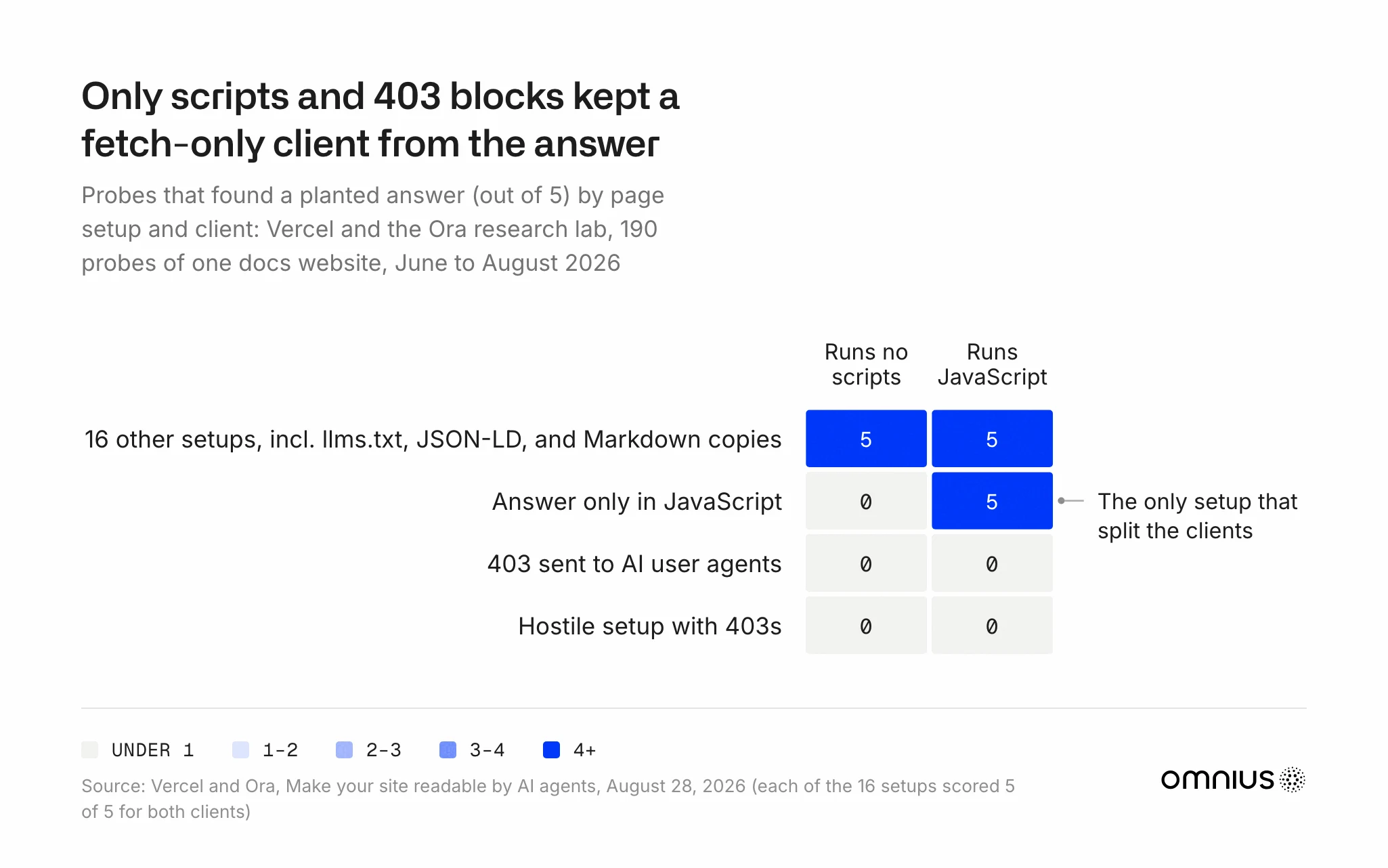
Vercel and the Ora research lab ran 190 probes on one docs website. Adding llms.txt files, JSON-LD, sitemaps, or Markdown copies didn't change whether a fetch-only client found an answer already in the HTML. Only an answer placed solely in JavaScript, or a blocked request, stopped it, so for rendering we treat the add-ons as optional.
What each check shows. The HTML check confirms a fix, logs show AI readers getting 200s, and repeated pricing questions in ChatGPT, Claude, and Perplexity show which page an answer cites.
Why rerun the HTML check after every launch? When personalization or an A/B test ships, client rendering can come back, and OpenAI promises no refresh window for a single URL in its offline search index.
How we at Omnius make a website readable for bots, engines, agents, and people
About 57% of web requests come from machines, by Cloudflare's 2026 data, so we optimize each website for people and machines at once. Our technology, the AI search product Atomic AGI, is built as infrastructure for both layers of search and checks what four readers get from a commercial page.
Bots. Our LLM audit goes further than the SEO audit, since ChatGPT's and Claude's fetchers read only the server's HTML, while Googlebot also reads the rendered page. Crawler logs, checked against published addresses, show which bots reach the pricing page and with what response, and we clear access blocks before looking at rendering.
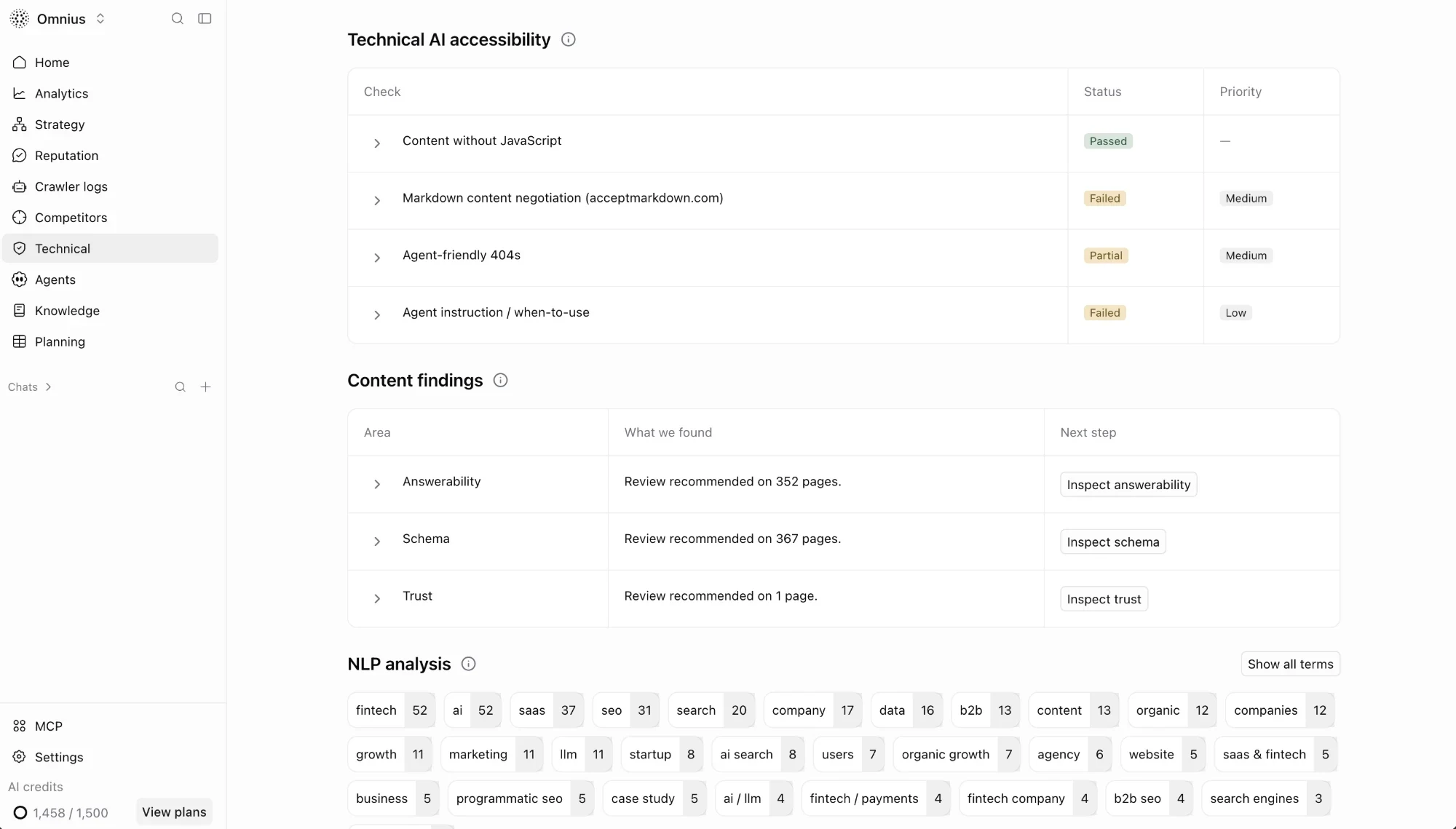
Engines. For Google and AI indexes, our audit checks whether content reads without JavaScript and records the initial HTML. We search that HTML for prices and plan limits, beside indexability, metadata, and internal links. We define the company's products and relationships first, and schema expresses them, since markup cannot decide what the company is.
Agents. We give Claude Code or ChatGPT a task, such as finding pricing, through our Agent Experience (AX) audit. The report records the pages visited and whether the answer uses the website, and after we fix the obstacles, we rerun the same task and model.
People. For visitors, we track the rendered page's Google Lighthouse performance and accessibility scores.
An SEO audit finding turns Fixed only when a live recheck confirms the fix, and answers to the same pricing questions are measured as deltas against the Day-0 baseline.
Read next: Technical SEO for AI search
FAQ
Does ChatGPT render JavaScript now?
ChatGPT renders JavaScript only in part. OAI-SearchBot, the crawler behind ChatGPT search, was seen running scripts on some websites from September 2026. In Bogdan Ripa's logs, ChatGPT-User, which fetches pages mid-answer, took only the server's HTML.
Do Google AI Overviews and AI Mode see content loaded by JavaScript?
Google's AI Overviews and AI Mode can use JavaScript-loaded content when the page is indexed and eligible for a snippet, nothing blocks its script files, and the website hasn't opted out in Search Console's generative AI control. Google misses text that loads only on a click or a scroll.
Does a React or Next.js website need server-side rendering for AI search?
A React or Next.js website needs its commercial facts in the server's HTML, and server-side rendering or static generation puts them there. The JavaScript framework, such as React, Vue, Angular, or Nuxt, doesn't decide it, and a browser-only single-page app sends ChatGPT-User an empty shell.
Does llms.txt or a Markdown version fix JavaScript rendering for AI?
An AI text file doesn't fix JavaScript rendering. A complete Markdown version can carry the facts, but a copy of an empty shell is still empty, so the facts belong in the HTML first.
Methodology
This guide rests on documentation, tests, two unnamed practitioner sources, and Linear's pricing-page HTML, captured on November 3, 2026.
OpenAI's crawler documentation covers bot roles and access controls, so the OpenAI rendering rows rest on a few 2026 logs and tests, two from Genezio's team. Genezio and Writesonic sell AI visibility software, Vercel hosting, and Omnius technical SEO and AI search services.
Sources
The sources below are grouped by their publisher.
- Google: JavaScript SEO basics, Optimizing for generative AI features, May 2026 announcement, AI features, Search generative AI control, Lazy-loaded content, Dynamic rendering, JavaScript problems, Structured data with JavaScript, Google's common crawlers
- OpenAI: Overview of OpenAI crawlers, Offline web search, ChatGPT search
- Anthropic: Web fetch tool, Browser use tool, Anthropic's crawlers
- Perplexity and Microsoft: Perplexity crawlers, Content in AI search answers
- Logs and tests: Ripa on OpenAI's bots, Genezio on OAI-SearchBot, A marketplace's crawler logs, Souza on ChatGPT, Souza on five assistants, Nnaji's crawler test, Agbodan's crawler canary, Writesonic crawler study, Vercel on AI crawlers, Vercel and Ora on readability, Vercel on catalog readiness