.png)

The rebrand is approved, the new domain is bought, and the launch date sits on the calendar. Your team already knows a domain move puts organic traffic at risk. The question that keeps coming up in standups is how much of it you'll lose, and whether anyone will catch the mistake that causes it.
That worry is fair, and Google raised the bar this summer. How do you do a domain migration under Google's new changes? Short answer: you submit a Change of Address request for every variant of the old domain www, non-www, and each subdomain, even the dead ones. This guide walks you through how to find those variants, map them, redirect them, submit them, and check the results afterward.
Key Takeaways
A few points worth a bookmark before you start:
- The help center and docs subdomains are the ones startups forget most, and they tend to hold the best backlinks.
- Google's tool won't move www unless you submit it as its own request.
- Google forwards signals for 180 days, but your redirects need to stay up far longer.
- Some moves, like HTTP to HTTPS, shouldn't go through the tool at all.
What Google Changed in Its Site Move Guidance
The Change of Address tool lives inside Search Console. It tells Google your site moved and asks it to pass your search signals along. Most teams used to run it once, for the canonical version of the site (the one address Google treats as the "real" one), and called it a day.
That's not enough anymore. Google's updated site move guidance now says you should submit a request for all subdomains plus the www and non-www versions of the old domain, even the ones you don't use. Each of them needs to be verified in Search Console first. Google's own example maps en.example.com, www.example.com, and example.com to new-example.net.

Why the extra work? Google put its reason in the Search Central changelog instead of the guide itself: domain moves work best when every variant migrates properly. The tool doesn't move any subdomain below the one you enter, and yes, that includes www. It does cover both HTTP and HTTPS for each host, which saves you a step.
Why Leftover Variants Cost You Traffic
Picture a payments startup that moves from paylio.io to paylio.com. The main site redirects fine. But a partner blog linked to docs.paylio.io/api-keys three years ago, and an old Reddit thread still sends people to www.paylio.io/plans. Nobody told Google those hosts moved.
Googlebot doesn't care about your launch plan. It follows those links and crawls the old hosts anyway. The result is split signals: part of your authority transfers to the new domain, and part stays stuck on addresses Google doesn't know are gone.
The damage shows up fast for a startup: backlinks lose value, docs pages slip, and a prospect lands on a broken help page 10 minutes before a sales call.
There's an AI angle too. Google's guidance on AI features ties AI Overviews and AI Mode to the same search systems, so a messy move can knock you out of those answers as well.
How to Find Every Domain Variant (Even the Forgotten Ones)
You can't migrate what you can't see. Most startups have more subdomains than anyone remembers: a webinar page from 2022, a Series A launch page, a test environment an old contractor spun up and never shut down. Four sources will surface nearly all of them:
- Domain Name System (DNS) records. Export the full zone file from your DNS provider.
- Certificate transparency logs. Free lookups like crt.sh list every security certificate issued for your domain, and that exposes subdomains no one wrote down.
- Search Console. See which properties you already have, then scan the Performance report for hosts that still get clicks.
- Backlink tools. Ahrefs, Semrush, and similar tools show which hosts earn links. Those are the variants you can least afford to lose.
Put it all in one spreadsheet, and mark each host as live, parked, or dead. Google wants those submitted too. (Yes, even the one from the 2021 hackathon.)
How to Map Variants and Set Up 301 Redirects
A 301 redirect is a permanent forward from an old URL to a new one, and it's the piece that carries your signals across. Map page to page, not everything to the new homepage. A redirect from /plans to the homepage tells Google the old page is gone, and its value goes with it.
Software-as-a-service (SaaS) setups make this trickier, since different subdomains live on different tools. Here's what a typical map looks like:
Two more checks before launch. First, every old variant needs a valid Secure Sockets Layer/Transport Layer Security (SSL/TLS) certificate. Googlebot requests https://docs.acme.io, the certificate fails, and the 301 never fires.
Second, crawl the new site and look at canonical tags and robots meta tags. A canonical tag that still names your test hostname, or a stray noindex tag from the test build, can stall the whole move by itself.
Keep the redirects live for at least 12 months, and ideally for good. Keep the old domain registered, too. A lapsed domain can end up in a stranger's hands.
How to Submit the Change of Address Request, Step by Step
The tool itself is quick. The prep takes longer, so don't open it until your redirects are live:
1. Verify everything. You need owner access to the old site, the new site, and every old variant, all under the same Google account. A Domain property, verified with a DNS record, covers all subdomains and protocols for reports. For the tool, though, add a separate property for each subdomain you plan to submit, because Google treats each one as its own move.
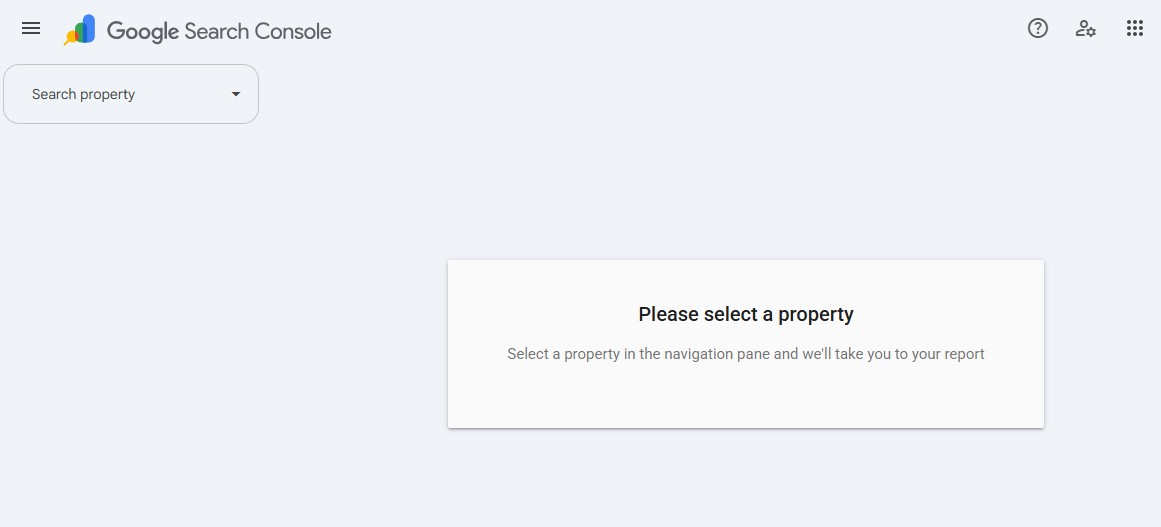
2. Confirm your 301s work. Test the homepage and your top pages on every variant. The tool checks a few, but don't rely on it.
3. Open the tool from the old property. Go to Settings, choose Change of Address, and pick the new domain from the dropdown.
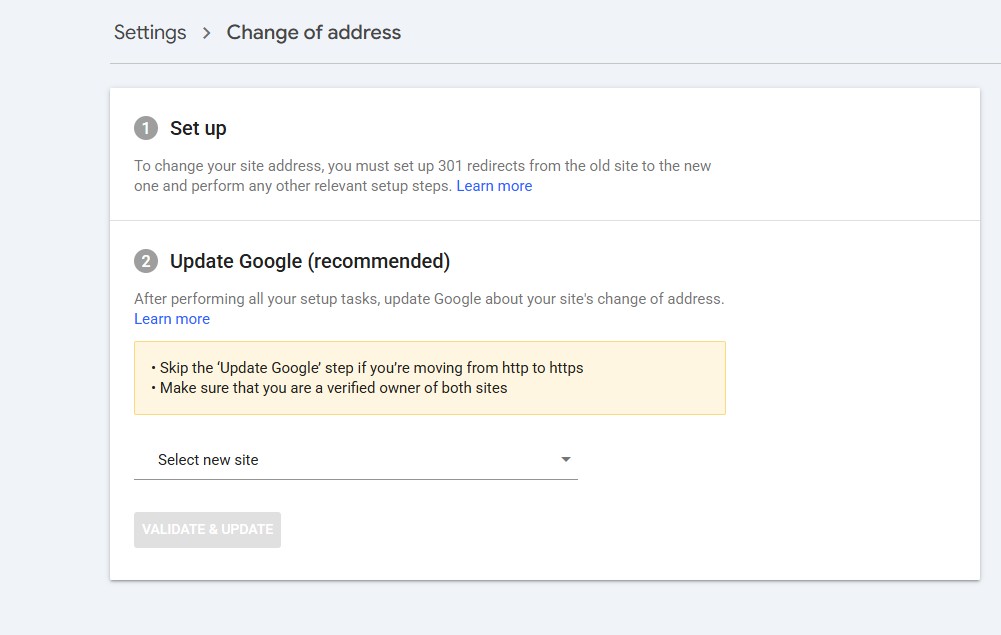
4. Read the pre-move checks. Critical checks block you, like a homepage without a redirect or an unverified new site. Non-critical ones only flag an issue, but read them anyway.
5. Submit, then repeat. Run the same process for www, non-www, and each subdomain on your list.
Search Console shows a move notice on both sites for 180 days after each request. That's the window where Google forwards signals from old to new. Google treats the two sites as unrelated once day 180 passes, which is why your redirects have to outlast it. One more tip: don't chain moves. A site that just moved from A to B shouldn't jump straight to C.
When You Don't Need the Change of Address Tool
Not every move qualifies. Google says to skip the tool for an HTTP to HTTPS switch, a move between www and non-www on the same domain, a host or content delivery network (CDN) change where URLs stay the same, and path changes inside one site, like /features to /product. Redirects and canonical tags handle those. Push one of them through the tool anyway and you'll muddy the signal you want to send.
What to Watch After the Move
Launch day isn't the finish line. Plan three check-ins and put them on the calendar now.
The First 30 Days
Open the Page indexing report in the new property. New URLs should climb as old ones fall away. Check Crawl stats as well, because a spike in 404 or 5xx errors means a redirect broke somewhere.
Days 30–90
Compare Performance data across the old and new properties. Some dip is normal. A dip that gets deeper each week isn't, and it tends to trace back to one forgotten variant or a batch of pages sent to the wrong place.
Days 90–180
Look for old hosts that still get impressions. Fix them before Google's 180-day window closes, not after.
Then there's Bing. Bing Webmaster Tools has its own Site Move tool, and Bing's index feeds Microsoft Copilot. It's a short job, so do it the same week you submit to Google.
Final Thoughts
A domain move is one of the few projects where a small miss costs you a quarter of growth, and the variant rule is exactly the kind of detail that slips through.
Not sure your migration plan covers every subdomain? Omnius can help. We run technical SEO for SaaS and fintech companies, and we've handled the redirect maps and Search Console work on moves like yours.
Book a free 30-minute call with our team, and we'll review your variant list and flag what to fix before launch day.
Frequently Asked Questions
Here are quick answers to the questions founders ask most about the update.
Do I Need to Submit Subdomains I Don't Use?
Yes. Google's updated guidance asks for a Change of Address request for every subdomain of the old domain, plus the www and non-www versions, even if nobody has touched them in years. Each one needs to be verified in Search Console before you submit it.
Is This a New Rule or a Clarification?
It reads more like a clarification. The tool has never moved subdomains below the host you enter, and that includes www. What changed is that Google now spells it out in the site move guide. Its changelog adds the reason: domain moves work best when every variant migrates.
Can I Cancel a Change of Address Request?
Yes, for 180 days after you submit it. Remove the 301 redirects from the old site, and add redirects from the new site back to the old one. Then open the tool in the old property and click Cancel Move. Repeat that for every variant you submitted.
Can I Merge Several Old Domains into One New Domain?
You can, but Google advises against a merge of all of them at once. Picture three old domains that all point at one new home in the same week. Google has to sort out all three moves at the same time, and you can lose traffic. Move one site, wait for traffic to settle, and then move the next.
Can I Move My Domain to a Folder on Another Site?
Yes. Google allows a move from example.com to a path like example3.com/new/location/. This fits an acquisition, where a startup's site becomes a section of the parent company's site. The reverse doesn't work, though. The tool only accepts old sites at the domain level, so example.com/blog can't be the source of a request.
What Happens After the 180 Days?
Google stops connecting the two sites. If the old domain is still live, Google treats it as an unrelated site. Your redirects still carry users and link value to the new domain, so keep them live for at least 12 months. Google also recommends you keep the old domain registered for at least a year.
Do I Need the Same Google Account for Both Sites?
Yes. You must be an owner of the old and new properties, and both need to sit under the same Google account. Sort out access before launch day. An old agency login that nobody can reach is a classic blocker.


.png)

.svg)
















.svg)



























.svg)